Filters
Filtering functionality that helps users narrow down products within a category. This section evaluates filter usability, visibility, interaction behavior, and how effectively users can refine results to find the right products quickly.
Checklist
Easy to understand filters
The category page should provide filters that are simple, clear, and easy to use, especially on mobile devices.
Impact:
High
Cost:
Medium
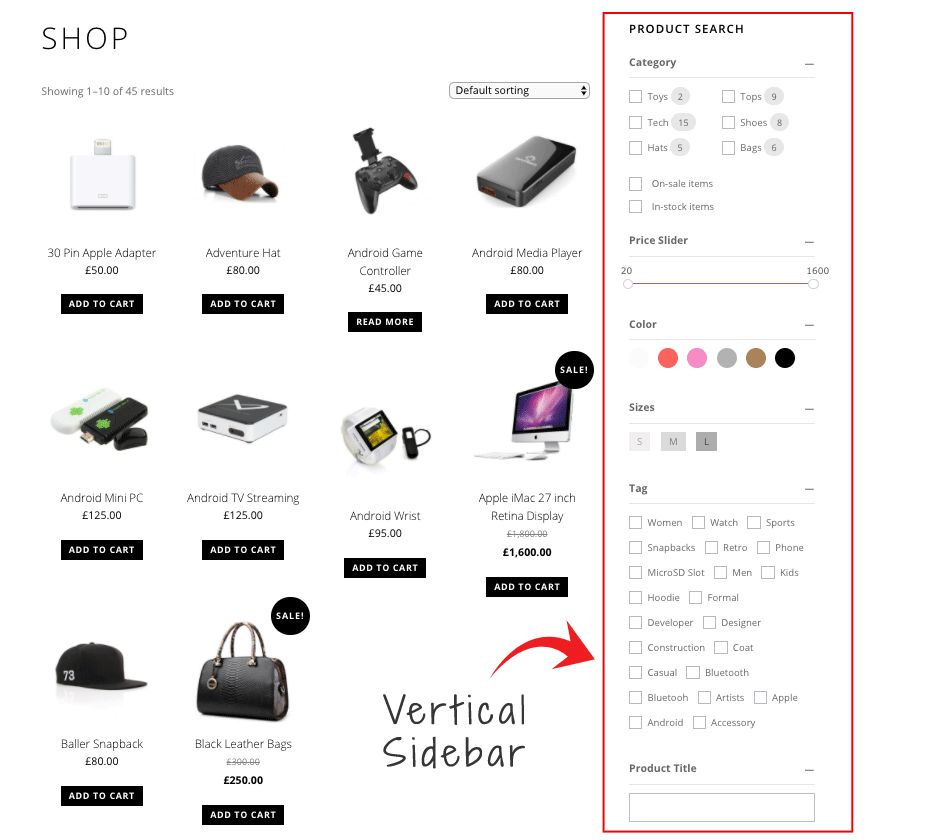
Easy to understand filters
The category page should provide filters that are simple, clear, and easy to use, especially on mobile devices.
Impact:
High
Cost:
Medium
Visible filter panel
Filters should be clearly visible and easy to access for users who rely on filtering to find products.
Impact:
High
Cost:
Low
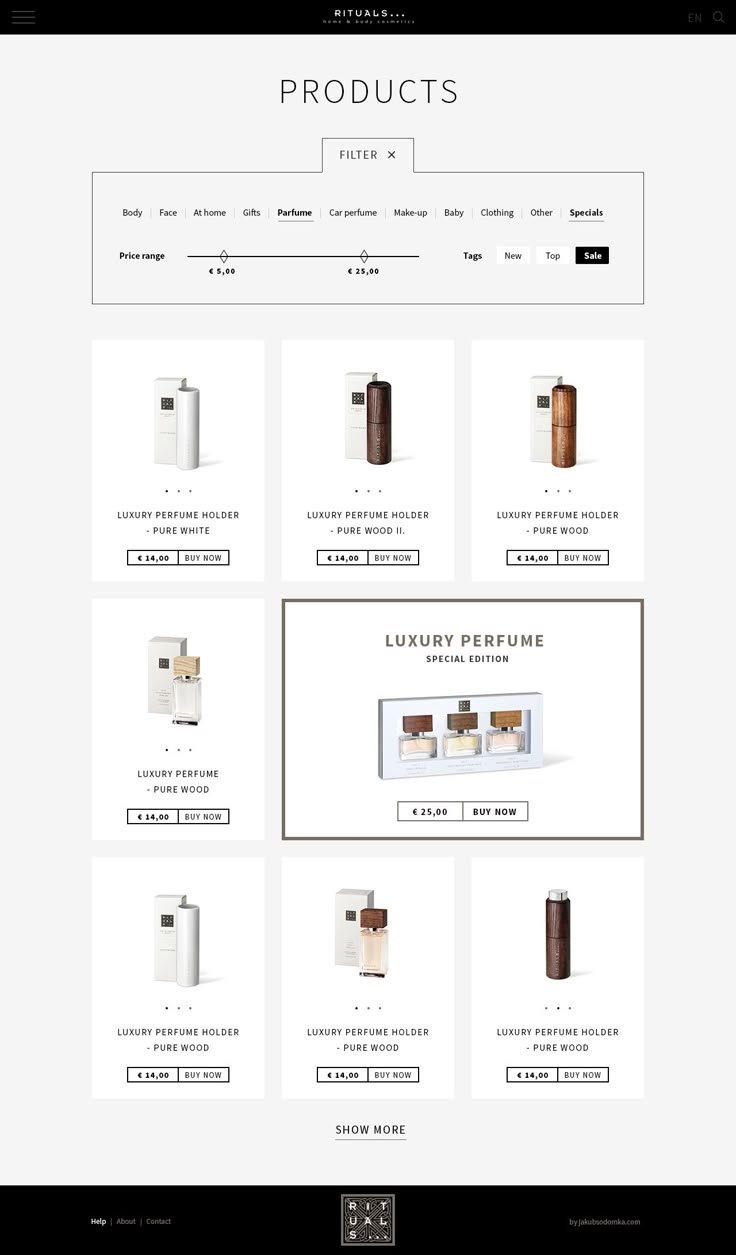
Visible filter panel
Filters should be clearly visible and easy to access for users who rely on filtering to find products.
Impact:
High
Cost:
Low
Popular filters first
The most commonly used filters should appear at the top of the filter list to help users quickly refine results.
Impact:
Medium
Cost:
Low
Popular filters first
The most commonly used filters should appear at the top of the filter list to help users quickly refine results.
Impact:
Medium
Cost:
Low
Relevant filters only
Only filters that are relevant to the category should be shown to avoid unnecessary clutter.
Impact:
High
Cost:
Medium
Relevant filters only
Only filters that are relevant to the category should be shown to avoid unnecessary clutter.
Impact:
High
Cost:
Medium
Clear active filter indicators
Users should clearly see which filters are currently applied and how many filters are active.
Impact:
High
Cost:
Low
Clear active filter indicators
Users should clearly see which filters are currently applied and how many filters are active.
Impact:
High
Cost:
Low
Multiple filter selection
Users should be able to select multiple filters simultaneously to refine product results.
Impact:
High
Cost:
Medium
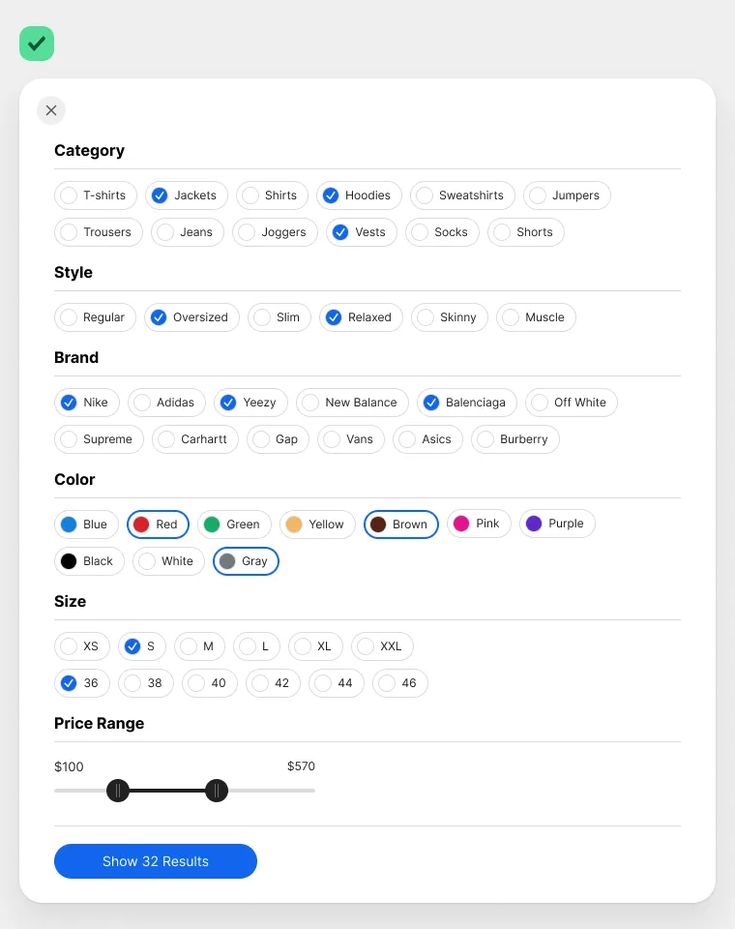
Multiple filter selection
Users should be able to select multiple filters simultaneously to refine product results.
Impact:
High
Cost:
Medium
Standard filter placement
Filters should appear in a familiar position, typically on the left side of the page or at the top of the product grid.
Impact:
Medium
Cost:
Low
Standard filter placement
Filters should appear in a familiar position, typically on the left side of the page or at the top of the product grid.
Impact:
Medium
Cost:
Low
Real-time filtering
When users apply filters, the product list should update instantly without requiring a page reload.
Impact:
High
Cost:
High
Real-time filtering
When users apply filters, the product list should update instantly without requiring a page reload.
Impact:
High
Cost:
High
Sticky filters
Filter controls should remain accessible while scrolling so users can easily adjust filters at any time.
Impact:
Medium
Cost:
Medium
Sticky filters
Filter controls should remain accessible while scrolling so users can easily adjust filters at any time.
Impact:
Medium
Cost:
Medium
Appropriate filter controls
Different filter types should use appropriate selectors, such as color swatches for color filters or sliders for price ranges.
Impact:
Medium
Cost:
Medium
Appropriate filter controls
Different filter types should use appropriate selectors, such as color swatches for color filters or sliders for price ranges.
Impact:
Medium
Cost:
Medium

Highest Converting Checkout
Shopify
The one commerce platform behind it all. Sell online and in person. Sell locally and globally. Sell direct and wholesale. Sell on desktop and mobile.


Highest Converting Checkout
Shopify
The one commerce platform behind it all. Sell online and in person. Sell locally and globally. Sell direct and wholesale. Sell on desktop and mobile.
Ready to Optimize Your Store?
Start with free access and unlock the full checklist when you’re ready.

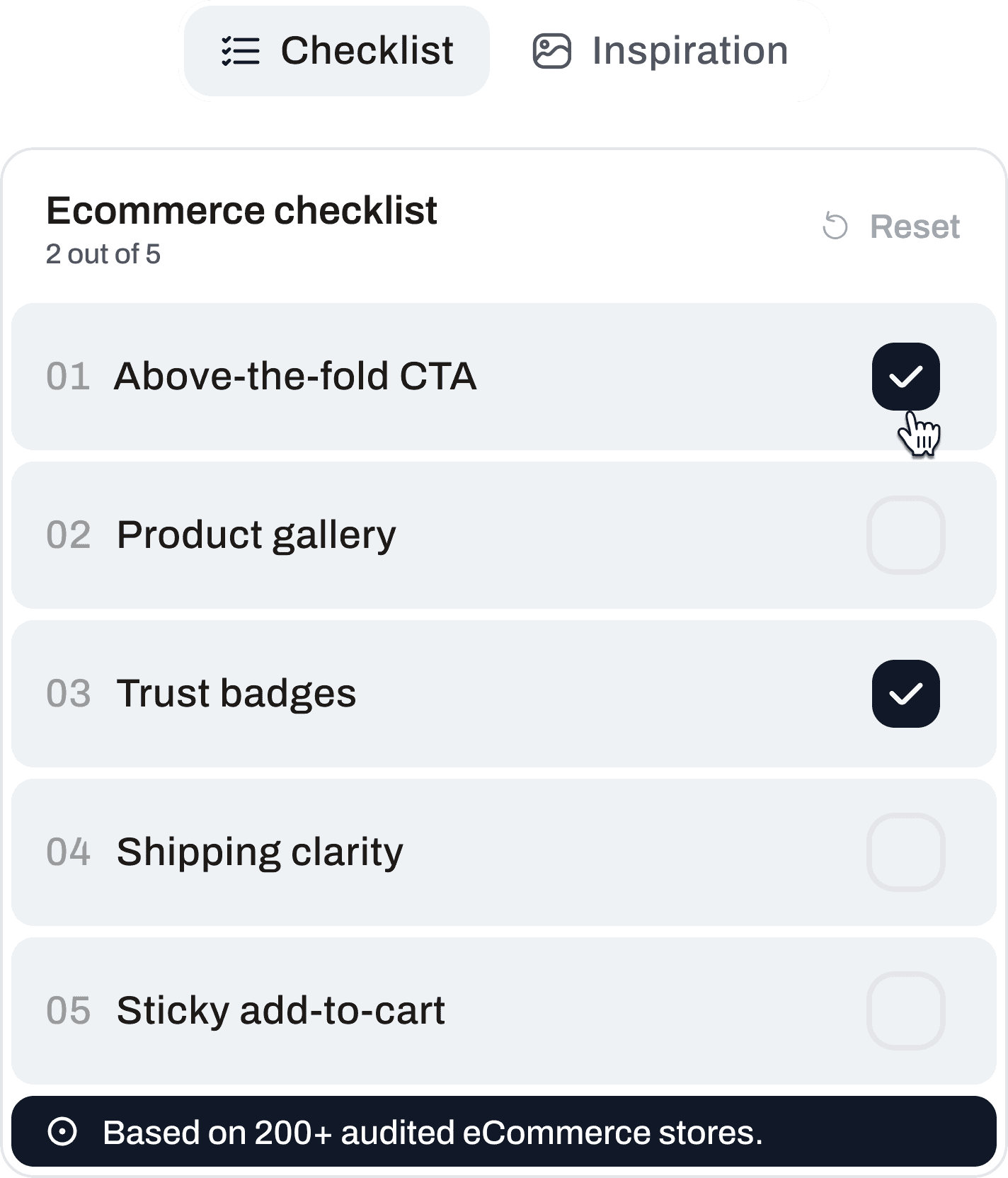
Ready to Optimize Your Store?
Start with free access and unlock the full checklist when you’re ready.
Ready to Optimize Your Store?
Start with free access and unlock the full checklist when you’re ready.

Get CRO Insights:
No spam. Unsubscribe anytime.
© 2026 Conversion Kite. Built for eCommerce teams.
Get CRO Insights:
No spam. Unsubscribe anytime.
© 2026 Conversion Kite. Built for eCommerce teams.
Get CRO Insights:
No spam. Unsubscribe anytime.
© 2026 Conversion Kite. Built for eCommerce teams.